Custom Yu-Gi-Oh cards vs AI
Play your custom cards against an AI that knows how to use them
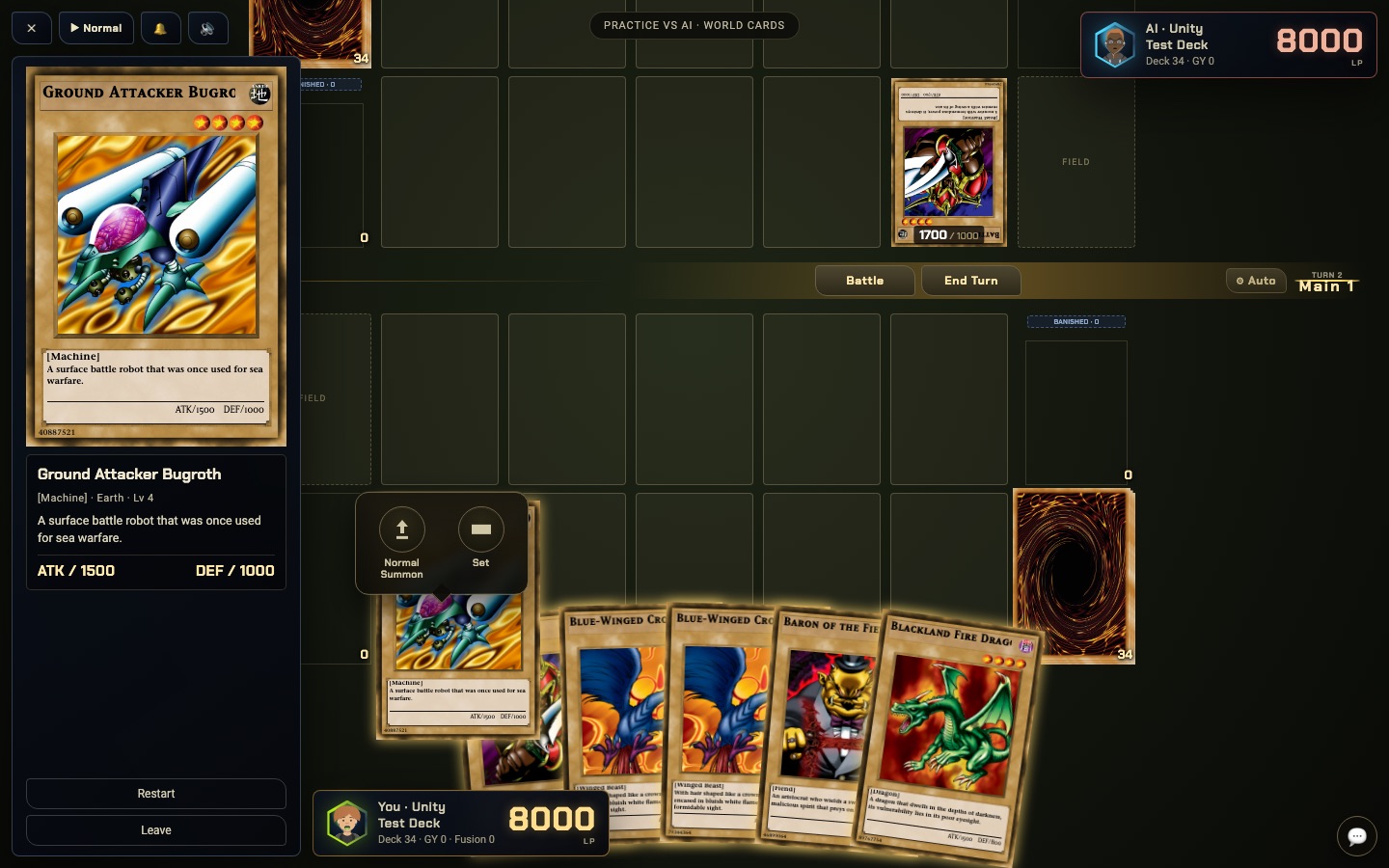
You finished a card at 2am and nobody is awake to test it. YGOWB's Practice mode gives you a computer opponent that can pilot any deck in your World, custom cards included, with every rule enforced.
Why an AI for custom cards is hard, and how YGOWB does it
In most simulators the computer opponent depends on hand-written logic for the cards it plays. That works for a fixed card list and falls apart the moment you add your own card, because nobody has taught the AI what your card is for.
YGOWB's AI takes a different route. It copies the current duel, tries its options inside the real rules engine, plays the turn forward and compares the boards that come out. Since it learns what a card does by running it, it needs no special knowledge of any card. If the engine can resolve your effect, the AI can consider it.
Any deck, any card
Pick any deck in your World for the AI, including decks made entirely of custom cards.
It plans the turn
The AI plays sequences forward, so it Tributes, Fusion Summons and Ritual Summons when the line is worth it.
No queue, no waiting
The AI runs in your browser. No queue, no opponent to wait for, and simple moves happen immediately.
No ranking risk
Practice results never count toward World standings. Restart whenever you want.
What Practice mode is good for
- Testing a new card. See how your effect behaves in a real game, against real responses, before your friends ever see it.
- Balancing a set. Give the AI your strongest deck and find out whether the rest of the pool can beat it.
- Learning a deck. Goldfish your opening hands and practice your lines with no clock and no pressure.
- Playing solo. Sometimes you just want a duel. The classic Worlds hold more than 1,800 cards from 2000 to 2005 to build with.
For a single card, the Card Studio also has a "Try Card" button that opens a sandbox duel with the card already in your hand.
How to duel the AI with custom cards
- Create a free account and make or join a World.
- Build a deck from the World's cards. Make new cards in the Card Studio if you want them.
- Open the Duel Center and choose Practice vs AI.
- Pick your deck and the AI's deck, then enter the duel.
When you are ready for human opponents, the same decks work in online matches. Curious how the rules are enforced? Read about the simulator.
Questions
Can the AI really play cards I made myself?
Yes. The AI does not rely on a script written for each card. It tries its possible moves inside the real rules engine and looks at the board that results, so it can use any card the engine can run, including one you published five minutes ago.
Can I choose the deck the AI plays?
Yes. You pick your deck and the AI's deck from the decks in your World, so you can test a matchup, or make the AI pilot your own deck against you.
Does losing to the AI affect my ranking?
No. Practice duels never touch World rankings. You can also restart a practice duel at any time.
Do I need to be online with someone else?
No. Practice is single player. The AI thinks inside your own browser, so there is no queue and no waiting for an opponent.
Is it free?
Yes. You need a free account so your cards and decks are saved.
Your card's first opponent is ready
Make it, deck it, and see what the AI does about it.